



Contact Info
Location 85100 Kalajoki
KARE

Kare in short

Kare is NOSO’s software family for SME work management. It includes solutions for different operational needs, which can be used independently or connected through integrations when needed.

  • Project, task and schedule management
  • Time tracking and work entries
  • Maintenance and asset upkeep
  • Rollout and deployment management

Choose a product below to find out more.

Kare.Pro

ERP solution for managing work, projects, inventory and billing
Kare.Pro

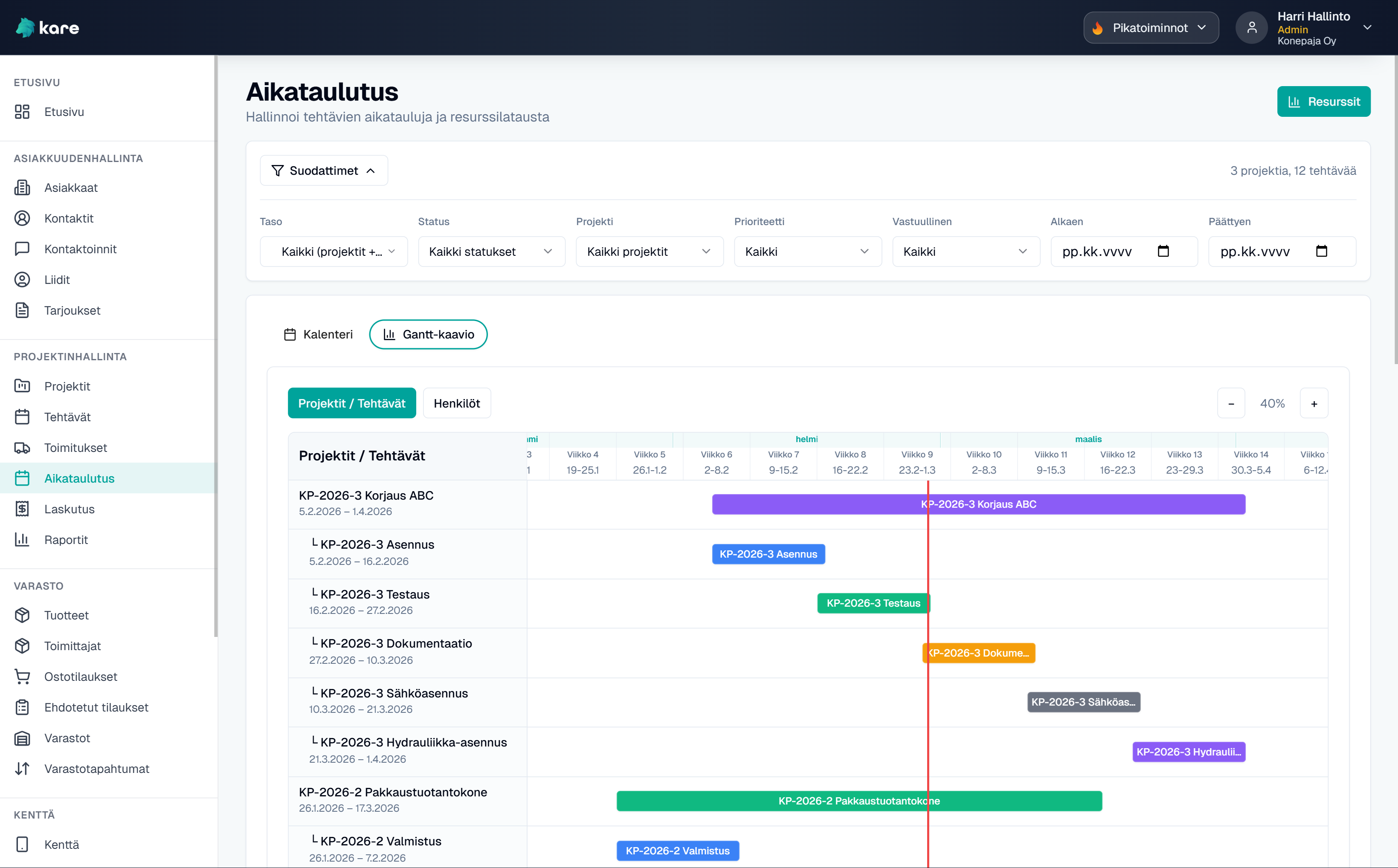
Kare.Pro is a lightweight ERP solution for SMEs that helps manage customers, projects, tasks, inventory, and time and material entries in one system.

It is especially well suited for project-based businesses and machine shops where working time is allocated to projects and customers are billed for work and materials.

Features

  • CRM: customers, leads, quotes, contacts and contact activity management
  • Projects and tasks: Kanban, Gantt, resourcing, and allocation levels for projects, project phases and tasks
  • Time and material entries linked directly to projects, tasks and billing (Kare.Time integration)
  • Inventory management: product register, stock balances and project-specific deliveries
  • Purchase orders: create purchase orders and send user-submitted order suggestions to the person responsible for purchasing
  • Billing support: work in progress (WIP), invoice drafts, approvals and project tracking
  • Role-based visibility: the right information for the right users

Key benefits: Kare.Pro reduces scattered information management by bringing customers, projects, tasks, working time and materials into one view. When entries are made as work happens, information stays up to date and it becomes easier to track project progress, work in progress and what is ready to be billed.

01.
Everything in one view

Customers, projects, tasks, inventory and entries are available in one system.

02.
Less manual work

Time and materials are recorded as work happens, without separate Excel-based processes.

03.
Better billing readiness

Project status, work in progress and billable items are easier to monitor.
Kare.Maint

Maintenance management software (CMMS)

Kare.Maint

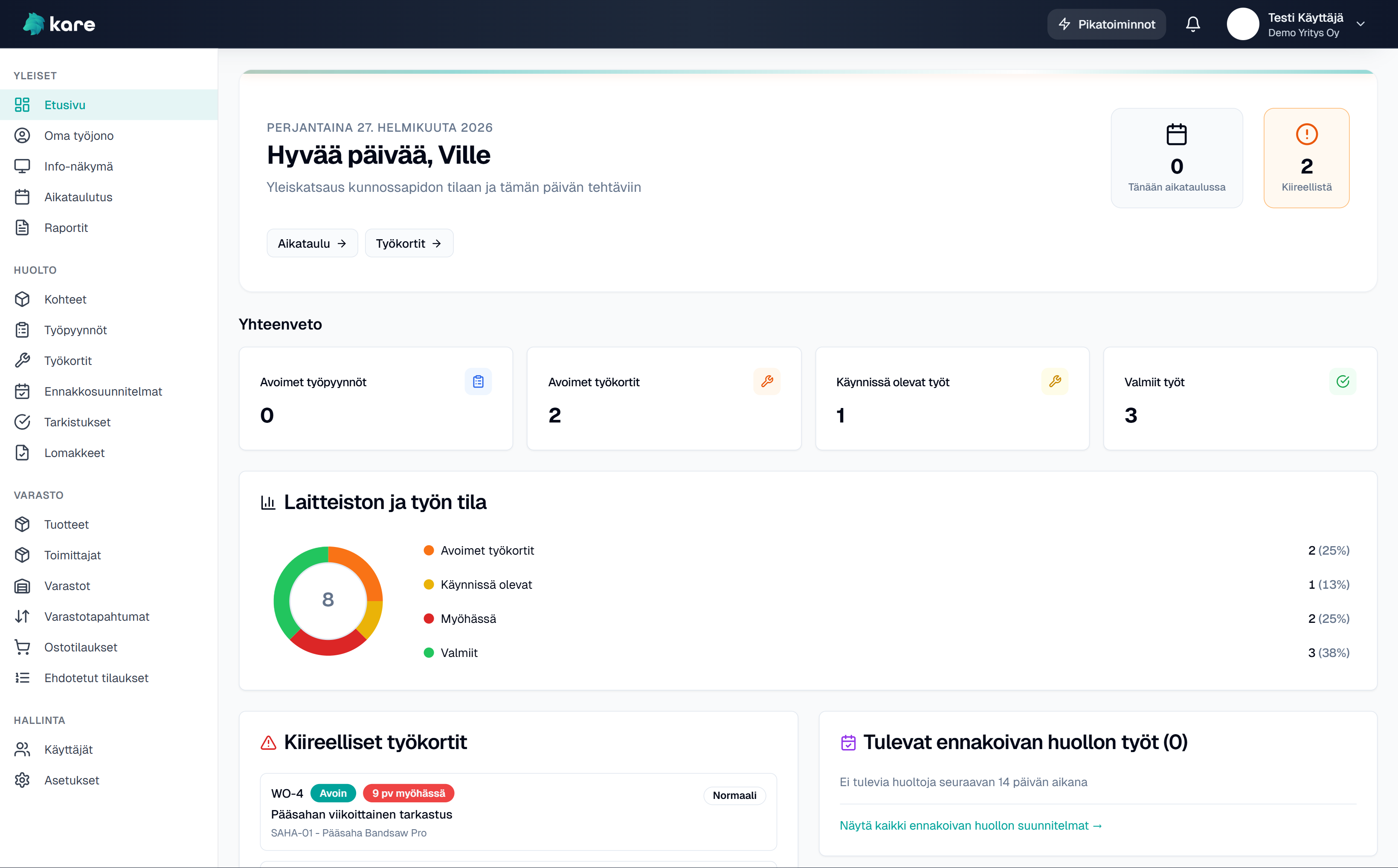
Kare.Maint is a system for managing maintenance work, including work requests, work orders, preventive maintenance and inspections. It is suitable for both in-house maintenance teams and external service businesses.

It works on both desktop and mobile. With QR scanning, users can access asset information directly, and their personal work queue stays clear and easy to manage.

Features

Work management
  • Work requests: pending / approved / rejected → approved requests can be converted directly into work orders
  • Work orders and lifecycle: open → started / on hold → completed / invoiced
  • Personal work queue and calendar view for managing maintenance tasks
Assets and preventive maintenance
  • Asset register: equipment and maintenance assets in a hierarchical folder structure
  • Preventive maintenance plans: recurring service intervals with automatic work order creation
  • Inspections: schedules and customizable inspection forms for work orders
Field use and materials
  • QR codes for maintenance assets and stock locations for fast mobile access
  • Working time and materials recorded directly on work orders
  • Inventory: product register, stock locations, suggested orders and purchase orders
Monitoring and reporting
  • Failure tracking: failure type, root cause and component for reporting purposes
  • Dashboard: KPIs, open work, overdue tasks and upcoming preventive maintenance

Key benefits: Maintenance work stays organized, on schedule and documented without separate notes, messages or manual to-do lists. With QR codes, field staff can immediately access asset details and maintenance history. Preventive maintenance is created automatically, and reporting shows where time and materials are actually spent.

01.
Work under control

Work requests, work orders and queues are managed in one place, so maintenance tasks do not get lost in messages or notes.

02.
Preventive maintenance on time

Planned maintenance and inspections are created automatically according to schedule.

03.
Clear maintenance history

Asset history, completed work and used materials are available in one place.

Kare.Time

Time tracking and allocation

Kare.Time

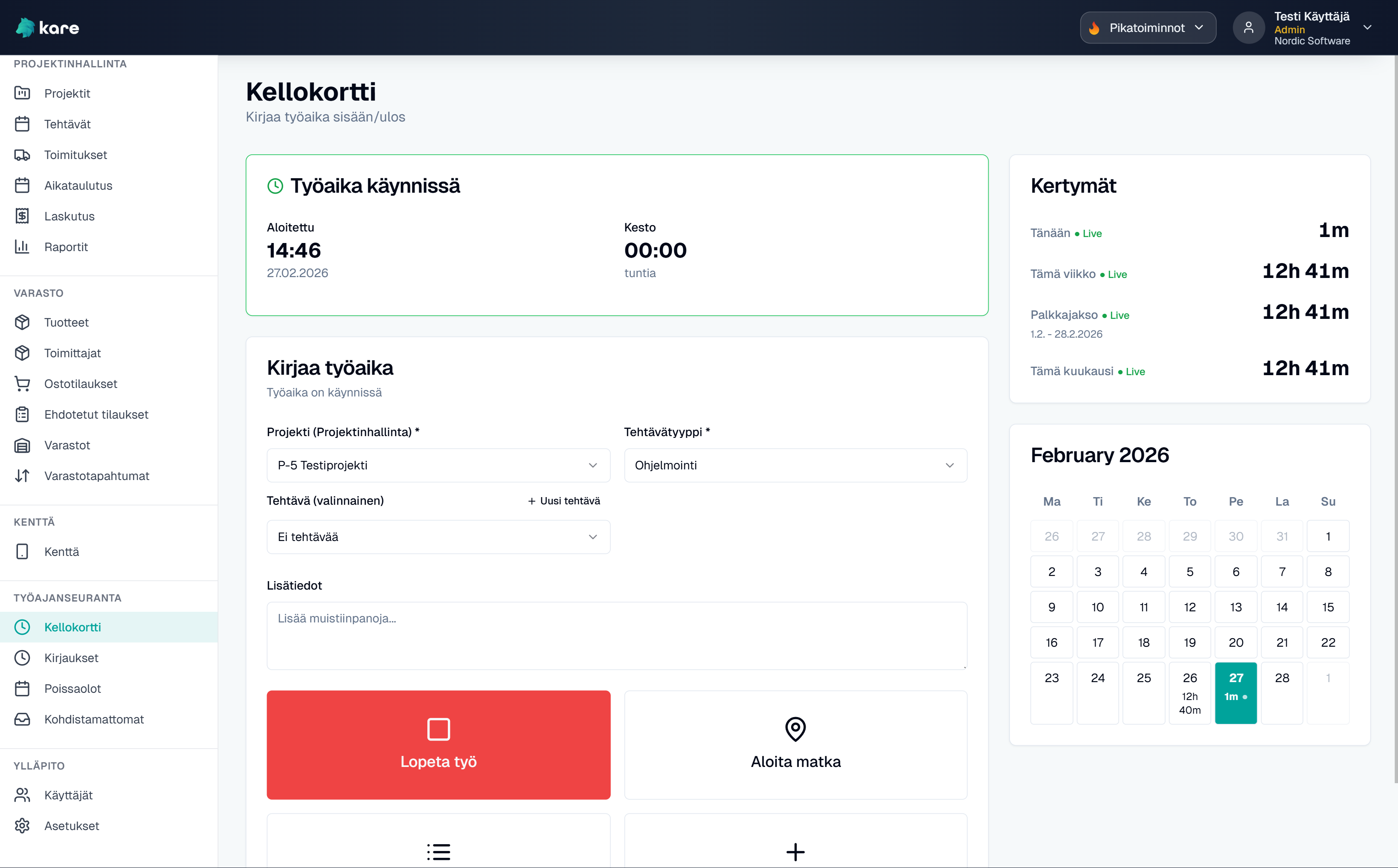
Kare.Time is designed for tracking working hours and absences. It is part of the Kare.Pro suite: time is recorded once and appears automatically in projects, tasks and billing. It can also be used as a standalone time-tracking solution.

Time can be recorded with a time clock or manual entry, and allocated to projects and customers. It works both in the field on mobile and in the office on desktop.

Features

  • Time clock and manual entry; working time links automatically to projects and tasks
  • Work type and pricing management; travel time separated from working time
  • Absences, leave balances, supplements and overtime; time bank
  • Allocation to projects and customers with reporting and tracking
  • Role-based company and employee views; configurable permissions and visibility

Key benefits: Time is recorded once and flows directly to the right place: projects, tasks and billing when needed. Absences, supplements and balances stay clear, and management gets visibility without manual consolidation. In the field it works on mobile, and in the office in the browser.

01.
Logging as work happens

Working time is recorded where the work is done, whether in the field on mobile or in the office.

02.
Clear balances and extras

Leave balances, absences, supplements and overtime stay visible and under control.

03.
Allocation and visibility

Work can be allocated to projects and customers, with reports that support follow-up.

Kare.RunUp

Commissioning and handover project management

Kare.RunUp

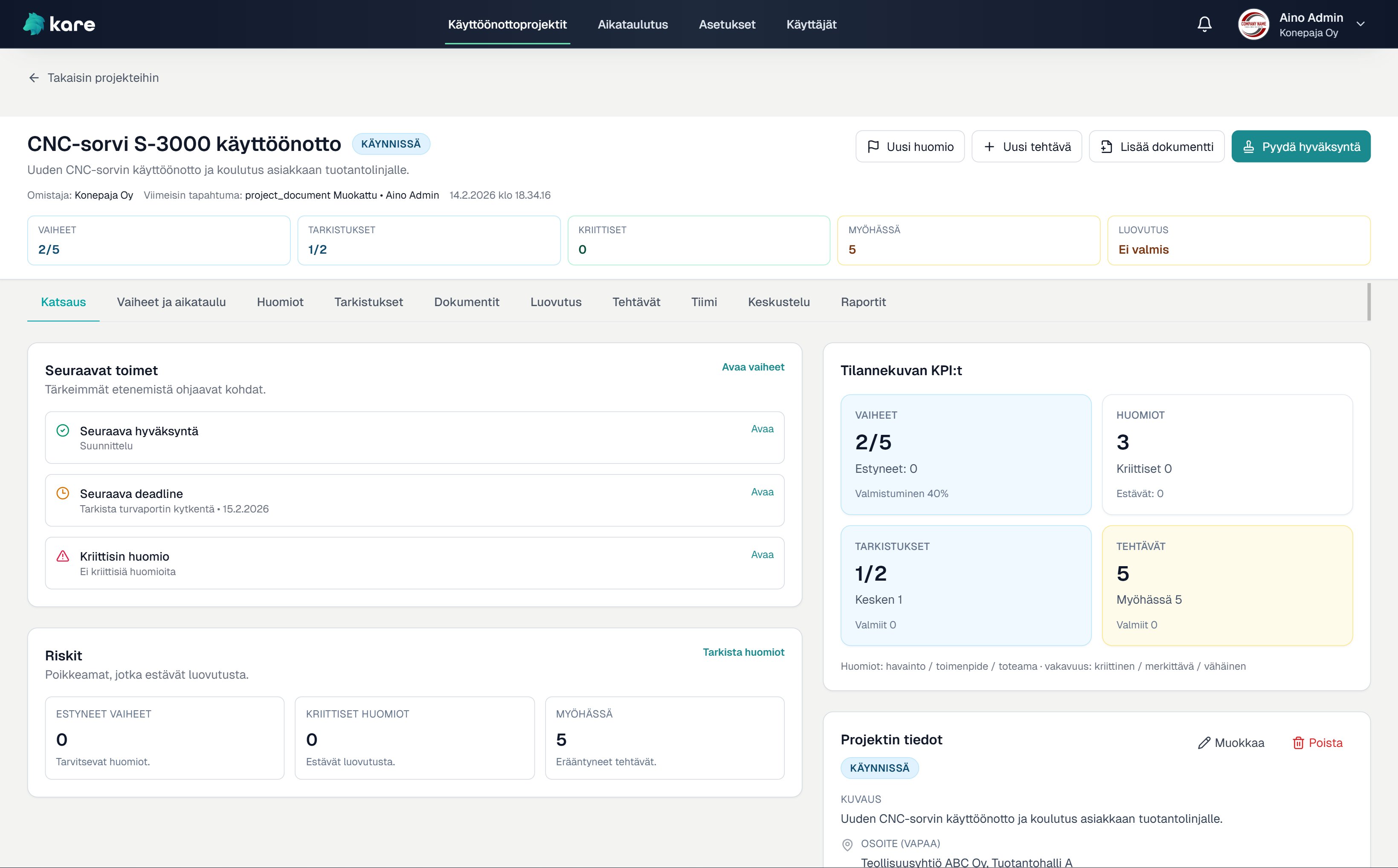
Kare.RunUp is a tool for managing commissioning, acceptance and handover projects. It is designed especially for machine builders, system integrators and industrial projects where delivery is approved step by step.

One project represents one commissioning process: project phases, inspections, documents and final handover are all managed in one place. Customers can be given their own view of project progress.

Features

  • Project phases and scheduling: phase-based progress tracking with Gantt view
  • Inspection checklists and approvals: FAT/SAT-style inspections and approval processes for project phases
  • Issue tracking: severity levels and monitoring of open items before handover
  • Document library: project documents, versioning and approvals in one place
  • Handover control: the system verifies that phases, inspections and open items are complete before approval
  • Handover package: PDF handover protocol and ZIP package of approved documents and inspections
  • Project overview: visibility into phase completion, open issues and handover readiness

Key benefits: Commissioning projects move forward in a controlled way because handover can only take place when inspections, approvals and open issues have been handled. Project documents, inspections and signatures are available in one place, and customers can be given visibility into progress without email chains. The result is less ambiguity, better documentation and a clear audit trail.

Custom solutions

When off-the-shelf is not enough

Kare – custom solutions

Not every company fits a standard product. That is why the Kare software family also includes solutions built specifically for your business.

A custom solution is built when processes, workflows or integration needs clearly differ from the standard products. The result can be a completely new system or an extension to an existing Kare product.

Customisation pays off when your processes are clearly unique, you need integrations to other systems, or the data collected in the field requires its own structure and workflow.

  • Company-specific tools and processes
  • Integrations to existing systems
  • Extensions to Kare products
  • Controlled implementation and step-by-step progress
01.
Based on real needs

The solution is not built technology-first, but on the basis of your company’s everyday challenges.

02.
No unnecessary complexity

Implementation is kept fit for purpose and cost-effective — not an oversized system.

03.
Grows with you

The solution can be extended and developed as your business evolves.

Key benefits: When the process doesn't fit a standard mould, the solution is built around your daily work — but in a controlled, step-by-step way. The aim is to remove unnecessary manual work (logging, consolidation, reporting) and bring data together where it already arises. The result is a clear tool that can grow with you without a "big bang" replacement.

Describe your processes briefly — I’ll suggest how to proceed (off-the-shelf / light customisation / custom solution).

How to get started: Mapping (30–60 min) → Proposal for next steps → Pilot → Rollout → Continuous development.

FAQ

Kare is aimed at SMEs, especially organisations that do hands-on work.

It suits companies where getting the work done is at the centre and the related documentation is often seen as a necessary but burdensome part of the day.

The goal is to provide tools so that documentation is not a separate, awkward add-on but a natural part of the workflow — and above all, genuinely useful for developing how the company operates.

Kare is a software family that includes both ready-made, productised solutions and company-specific implementations.

Often we start with a ready-made solution that can be deployed quickly and, if needed, lightly adapted to your way of working. If requirements are broader or clearly different from the standard solution, Kare can also be delivered as a custom project.

The important thing is not to choose a model in advance, but to find the solution that best fits your company’s daily work and can be implemented sensibly.

Rollout starts with mapping your needs and operating environment. The aim of the mapping is to assess whether your needs can be met with our ready-made software or whether the solution requires a custom implementation.

If the standard features meet your requirements, we proceed with a light rollout or a pilot. If your needs differ significantly from the standard solution, we design and implement a custom solution.

The actual rollout is done in a controlled way, and the solution is developed systematically based on real-world experience and feedback.

Rollout timing depends on the scope of the solution and the starting situation.

Ready-made solutions can be rolled out quickly, often significantly faster than traditional software projects. For custom implementations, the timeline is defined after the mapping so that the project stays realistic and under control.

The aim is to deliver practical benefits as early as possible — not to build a long, heavy project before the first results.

Yes. Kare is designed to work on mobile too, so work is not tied to the office.

Entries, work queues and core functions are available on phone or tablet right where the work happens. Mobile use is always designed as part of the whole.

Pricing depends on the solution chosen.

Ready-made Kare solutions are monthly subscriptions, with no separate rollout or setup fee. That keeps costs predictable and risks low.

Custom implementations are always priced case by case. They take into account design and rollout separately, and ongoing maintenance and development are agreed on top.

The aim is a clear, transparent cost structure — with no surprises.

Kare Work management software for SMEs Get in touch
Kare